Occupational safety documents, signed online

Employees sign safety instructions with a one-time code on a phone or computer. You keep evidence you can rely on.

  • No accounts needed for employees
  • Servers and backups in the EU
  • Encrypted backups every hour
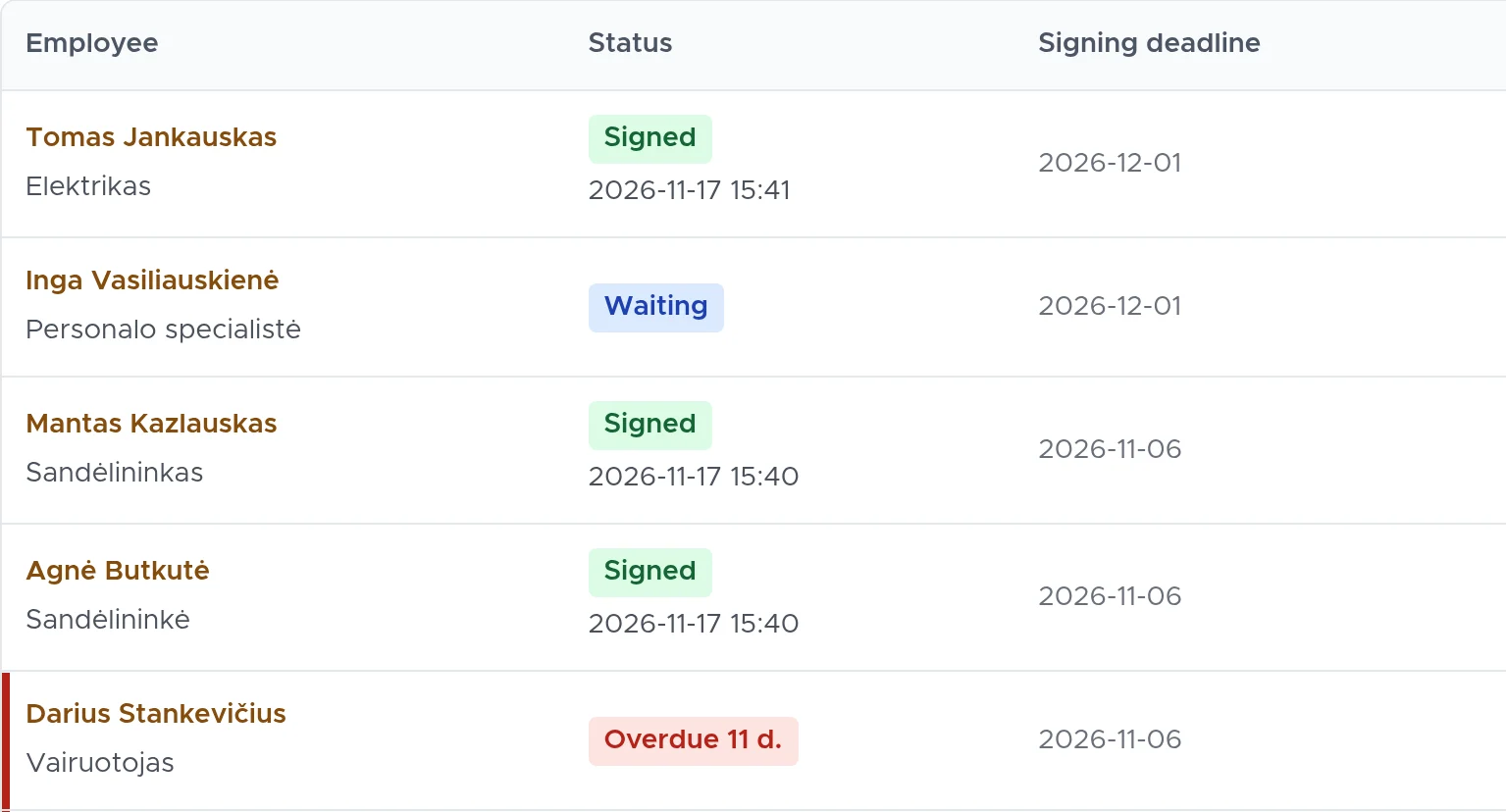
DocBee: list of employees assigned to a document, with the statuses Signed, Waiting and Overdue
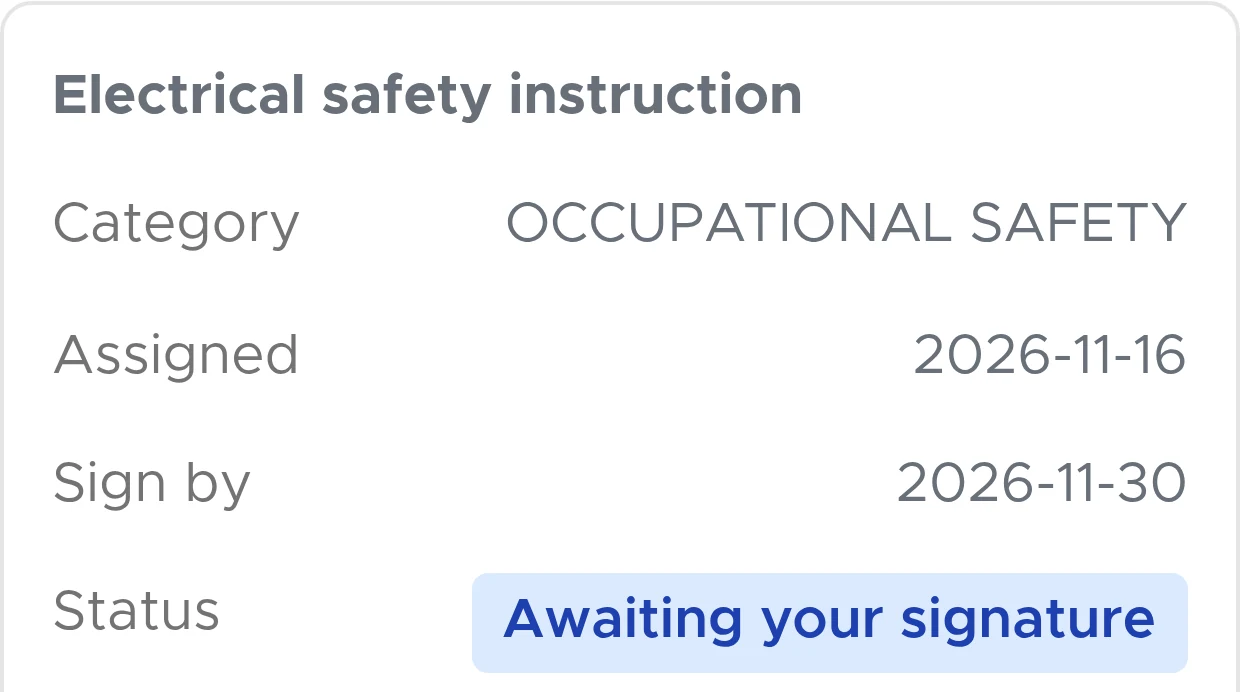
Employee document card: an electrical safety instruction awaiting signature, with a Review and sign button

How it works

Three steps from a new employee to a signed document. Nothing to install: DocBee runs in the browser and on a phone.

  1. A package per job position

    You group documents into packages by job position. A new employee immediately receives every document meant for them.

  2. A link by e-mail

    The employee opens the document on a phone or computer. No account, no password.

  3. Signed, with an audit page

    They sign with a one-time code. You receive a PDF showing who confirmed their identity, when and how.

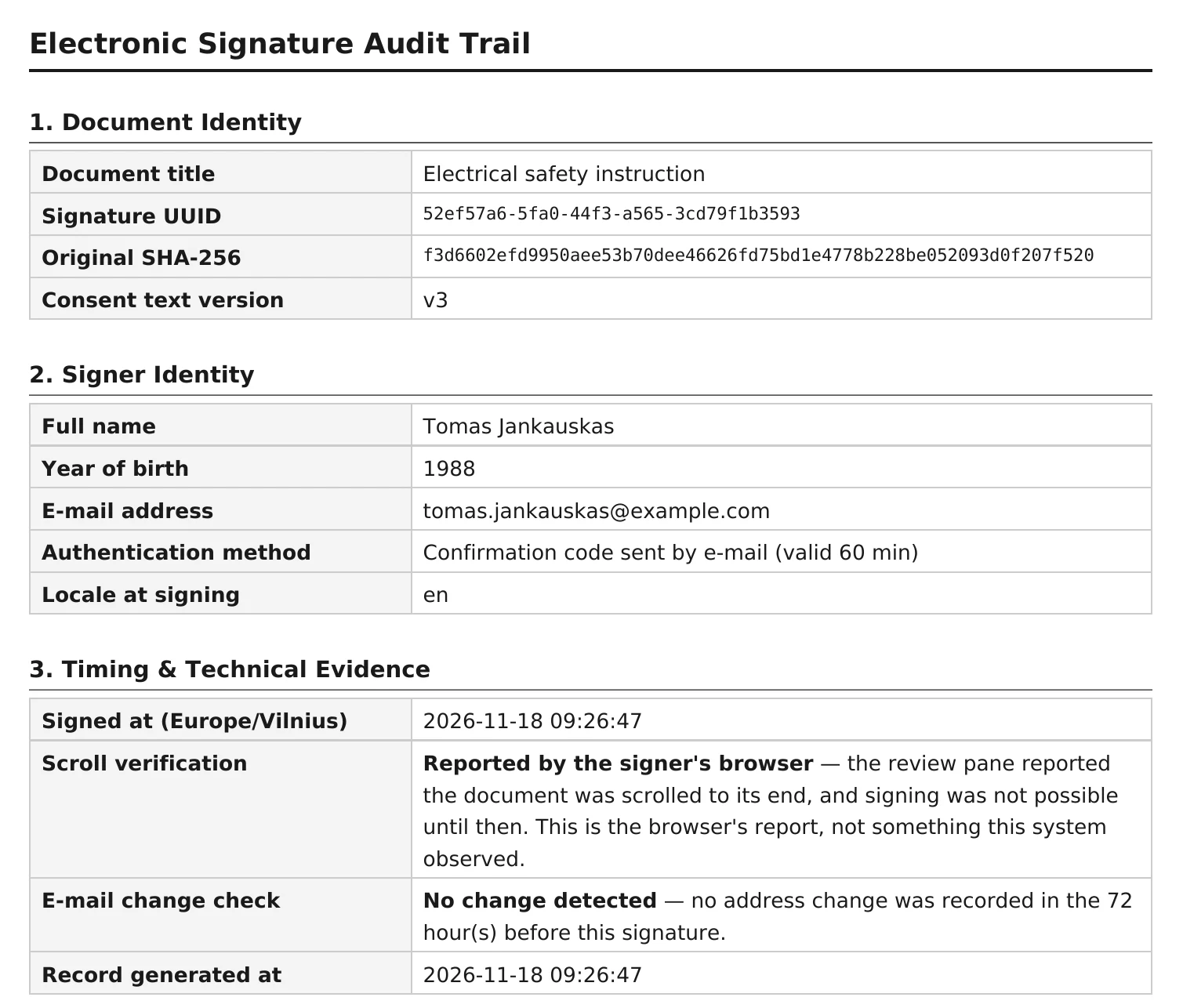
Audit page of a signed document: document and signer identity, confirmation code sent by e-mail, time and checksums
The audit page shows the signing time, how identity was confirmed and the SHA-256 checksum of the original file.

Every signature comes with evidence

The signed document is stored as a PDF with an audit page. Any later change would be detected, and a third party can also verify the signature.

In an inspection or after an accident, you have clear evidence that the employee received the safety instruction.

For every signature, a timestamp is requested from BalTstamp, a qualified trust service provider. The timestamp confirms, independently of DocBee, that the document existed at the time of signing, and its time comes from UTC(LT), Lithuania’s official time standard.

Anyone can verify it: the QR code on the audit page opens a public verification page with the checksum of the signed copy. The full signing process is described on the page about e-signed safety instructions.

Less paperwork for the specialist. Less work for the manager.

For occupational safety specialists

  • All client companies in one account.
  • The system assigns repeat safety instructions on schedule.
  • You can add a short comprehension test before signing.
  • Where needed, a responsible person, such as a manager, approves the document before it is issued.
More for specialists

For company managers

  • There is almost nothing for you to do: the specialist prepares the documents and your HR staff add employees.
  • HR staff can add new employees themselves or through a link with a PIN code. The specialist or HR staff approve them.
  • Responsible persons can sign in with a code sent by e-mail, with no password to remember.
  • Regular summaries show who has signed and who is overdue.
  • When you need evidence, it is already there.
More for companies

Everything visible in one place

You see who has not signed yet, who is overdue and when validity periods end. The system sends its own reminders about periodic safety instructions and medical check records (medical books) and sends summaries to managers; you remind those who have not signed with one button.

DocBee “Waiting for you” panel: rows Urgent – documents late to sign, and Information – waiting for signature, still in time, with Remind employees and Review buttons

Data security

Where and how data is stored. More detail on the data security page.

  • Servers and backups are in the European Union, with the server in Finland. Data is processed in line with the GDPR.
  • Key personal data is encrypted.
  • Encrypted backups are made every hour and kept in separate storage.

Frequently asked questions

More answers on the FAQ page.

Do employees need to register?

No. The employee receives a link by e-mail, reads the document and signs with a one-time code on a phone or computer. Accounts are for the people who manage documents: specialists and the company’s responsible persons.

What legal effect does the signature have?

DocBee creates a simple electronic signature, not a qualified one. Under Article 25(1) of the eIDAS Regulation, its legal effect and admissibility as evidence cannot be denied solely on the grounds that it is in electronic form. For every signature, a qualified BalTstamp timestamp is also requested. Whether the signature is sufficient for a specific document is for the employer and its lawyers to decide.

What do I show during an inspection?

The signed PDF with its audit page: who signed, when, how their identity was confirmed and the SHA-256 checksum of the original file. You can download the instruction register as PDF or Excel.

What will the company manager have to do?

Almost nothing. The specialist prepares and assigns the documents. HR staff can add new employees themselves or through a link with a PIN code; the specialist or HR staff only approve them. A summary e-mail reports what is unsigned or about to expire.

Where is the data stored?

Servers and backups are in the European Union, with the server in Finland. Key personal data is encrypted, and encrypted backups are made every hour. The privacy policy lists which service providers are involved and where.

See DocBee live

We will show you how DocBee would work for you and answer your questions.

Book a demo

or write to [email protected]