
Software for occupational safety specialists
All your client companies in one account. You prepare and assign the documents; employees sign them on a phone or computer.
- Each company with its own employees and settings
- No accounts needed for employees
- Nothing to install
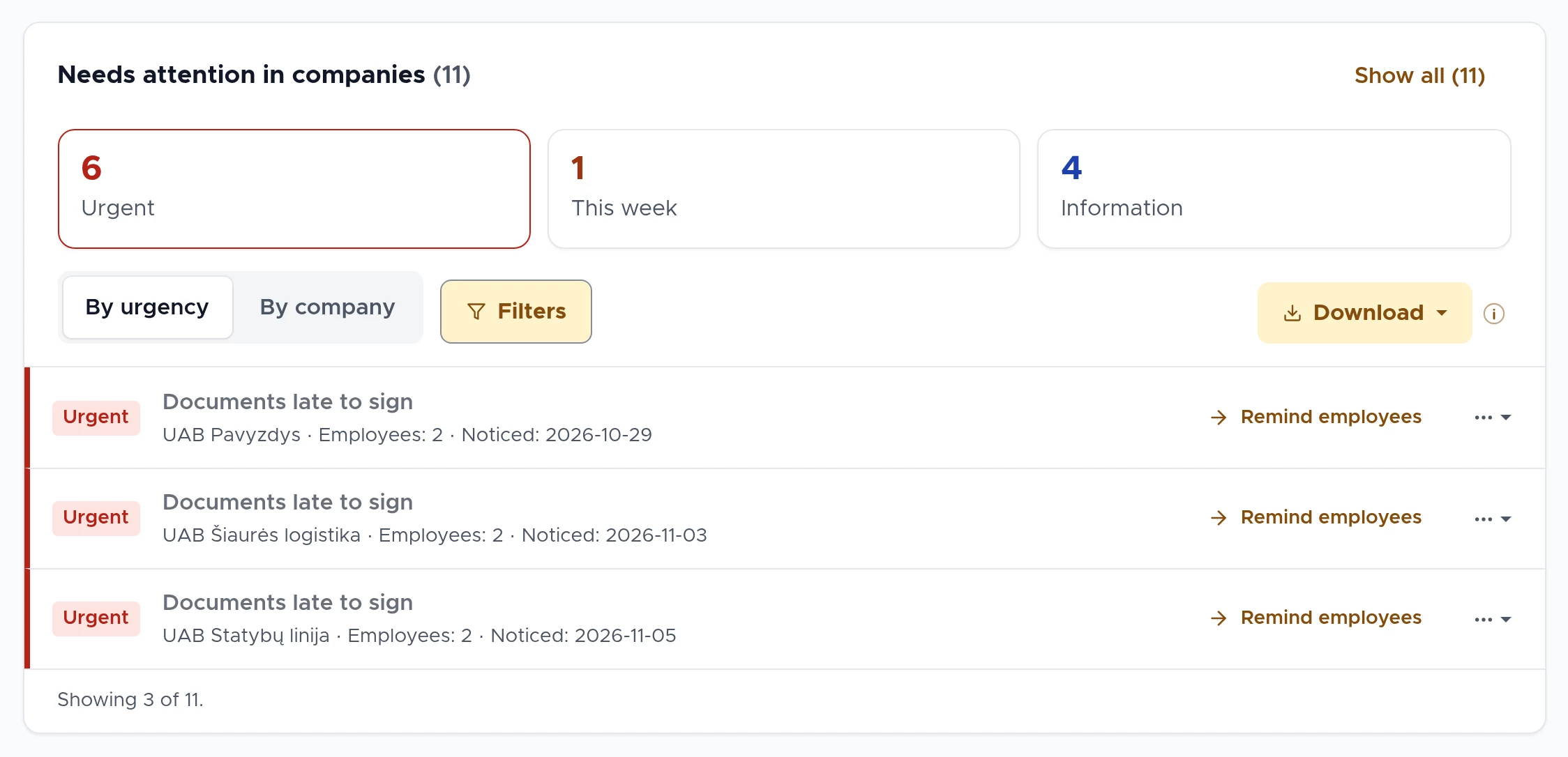
All companies in one place
Each client company has its own employees, documents and settings, but you manage them all from one account.
You can receive one daily e-mail about what is waiting for you across all companies. If nothing is waiting, no e-mail is sent.
You remind those who have not signed with one button: the employee receives one e-mail listing all their unsigned documents.
Less manual work
Repetitive work is done by the system itself or takes a single step.
Packages by job position
You build a document package for a job position. A new employee in that position immediately receives all the documents meant for them.
Periodic safety instructions
You mark a document as periodic, for example every 12 months. The system creates the new signing request itself.
Employee import
You upload existing employees in an Excel (.xlsx) file based on the template. Errors are shown row by row.
A link with a PIN code
A new employee fills in their own details through a link. You only need to approve them.
Control before and after signing
- You can add a comprehension test with a pass mark to a document. If the employee fails, they try again or read the document again: you choose which.
- Approvers can be set for a company, a category or a document. Until the document is approved, employees do not receive it.
- Instructions that must take place at the workplace (for example work under permits) are marked on their category: the system will not send them for remote signing by mistake, and an exception is recorded with its reason.
- Expiry dates of medical check records (medical books) and certificates, and PPE (personal protective equipment) cards, are in the same system.
- You download the instruction register as PDF or Excel, and evidence packs for selected employees as a single ZIP file.
- You set the retention period for each company’s signed documents: from 3 to 20 years, 10 by default.
Questions from specialists
More answers on the FAQ page.
Can I manage several companies?
Yes. All client companies are in one account, each with its own employees, documents and settings. You can receive one daily e-mail about what is waiting for you across all companies.
How do I bring in existing employees?
Upload an Excel (.xlsx) file based on the template: either everything is imported or nothing is, and errors are shown row by row. Every employee needs an e-mail address.
Can I check that an employee has understood?
Yes. You can add a test with a pass mark to a document. If the employee fails, they can try again or must read the document again: you choose which. The result and every attempt go into the evidence file.
What if an employee has no e-mail address?
Every employee needs an e-mail address: the link and the code are sent to it.
See DocBee live
We will show you how DocBee would work in your client companies and answer your questions.
Book a demoor write to [email protected]