
Instruction register
The register fills itself from employees’ signatures. You download the records you need as PDF or Excel.
- PDF and Excel
- Data as at the moment of signing
- Records stay after an employee leaves
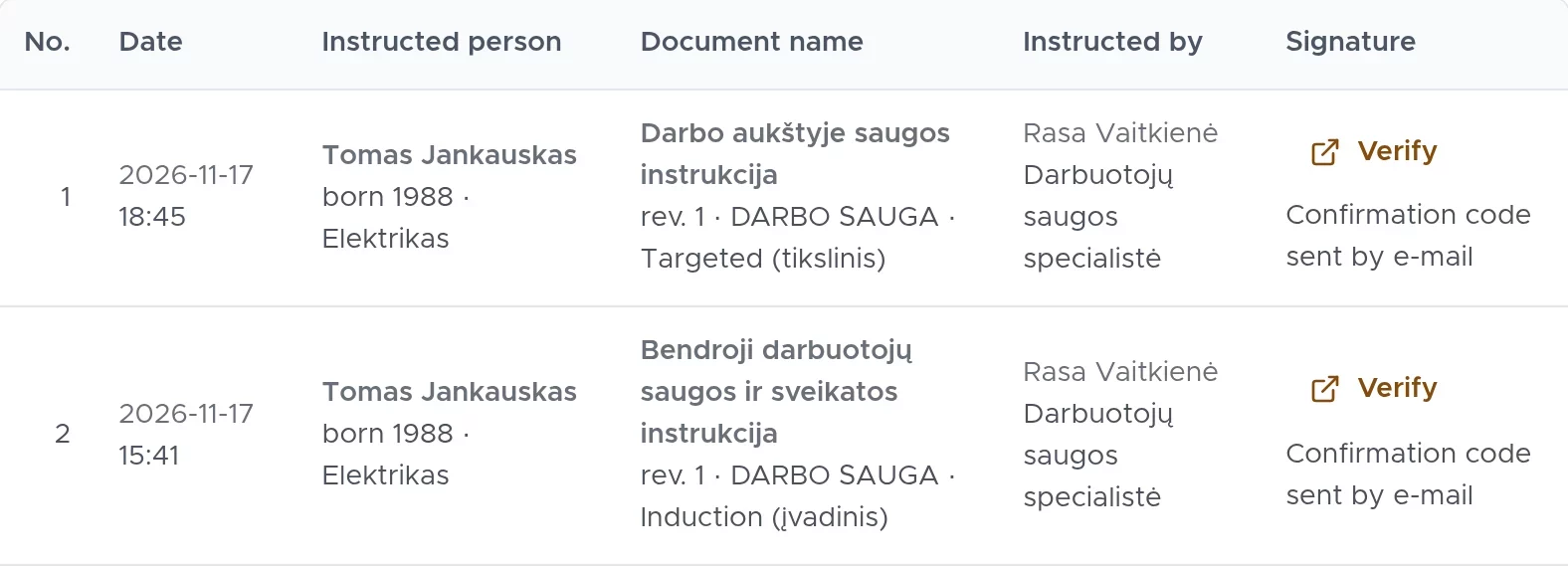
How the register is filled
One record is one completed safety instruction: an employee’s signature or a passed test. There is no separate register to keep; it is enough that employees sign the safety instruction electronically.
If a safety instruction was completed with a test, the record shows the date it was passed and the result. During an inspection, you present the register together with the signed PDF documents and their audit pages.
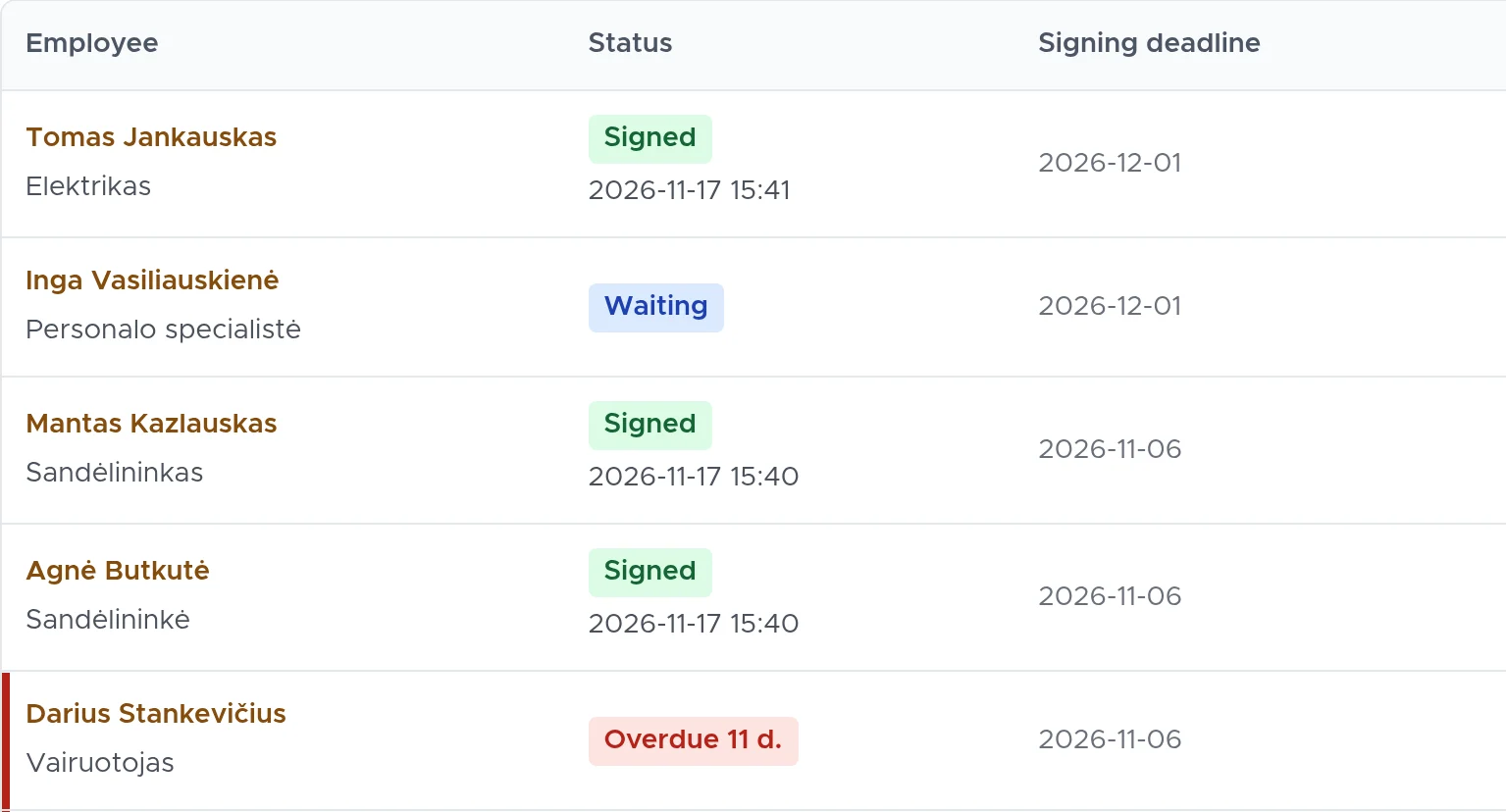
Columns
No., date, employee’s first name, surname and year of birth, position, document, category, type of instruction, the person who gave the instruction with their position, and signature.
Data from the moment of signing
Position and instructor are shown as recorded at signing, not as they are now.
Missing data is flagged
If a data item was not recorded in an older record, the register flags it rather than leaving it out silently.
The record stays after an employee leaves
The signature stays in the register even when an employee leaves or a document is removed, until the retention period ends.
Filters and download
The register is compiled for one company. You narrow down the records with filters, and in Excel you can also download only the selected ones. Each signature for a repeat safety instruction is a separate record in the register.
- Filters: period, employee, position, group, document, category, type of instruction and instructor.
- Download as PDF or Excel. The PDF register states who prepared it.
- With the default permissions, the company’s HR staff can see the register too, not only the specialist. The system assigns periodic safety instructions itself, so new records appear without extra work.
- Where needed, you present the signed PDFs with their audit pages alongside it, and download evidence packs for selected employees as a single ZIP file.
Frequently asked questions
More answers on the FAQ page.
What do I show during an inspection?
The signed PDF with its audit page: who signed, when, how their identity was confirmed and the SHA-256 checksum of the original file. You can download the instruction register as PDF or Excel.
Are safety instructions repeated automatically?
Yes. A document can be marked as periodic, for example every 12 months. The system creates a new signing request before the previous one expires and reminds the employee 30, 15 and 5 days in advance.
How long are signed documents kept?
10 years by default. The specialist can choose from 3 to 20 years in the company settings; a shortened period takes effect only after 30 days.
Can signed documents be exported?
Yes. Each signed PDF can be downloaded, and evidence packs for selected employees as a single ZIP file. An employee’s evidence file is downloaded encrypted.
See DocBee live
We will show you what the register looks like and what you will find in it during an inspection.
Book a demoor write to [email protected]