
Occupational safety paperwork for companies
Your occupational safety specialist prepares the documents, and employees sign on a phone or computer. There is almost nothing for you to do.
- No accounts needed for employees
- Nothing to install
- Servers and backups in the EU

Who does what
The work is divided so that your company has the least to do. These are the default permissions; the specialist can adjust them.
-
Specialist
Prepares and assigns documents, sets repeat intervals and approval, and manages the company settings.
-
Your HR staff
Add employees and PPE (personal protective equipment), and see employees’ signing status and the instruction register.
-
Employee
Receives a link by e-mail and signs with a one-time code. Sees only the documents assigned to them.
Three ways to add new employees
Employees do not need to register. HR staff add them to the system, or they fill in their own details through a link.
- HR staff add the employee themselves.
- HR staff upload a list in an Excel (.xlsx) file. Every row must include an e-mail address.
- The employee fills in their own details through a link with a PIN code, and the specialist or HR staff approve them.
Why choose a specialist who works with DocBee
By default, responsible persons sign in with a code sent by e-mail, with no password to remember.
Summaries on the weekdays you choose show who has not signed and what is about to expire. Where needed, a manager approves a document before it is sent to employees.
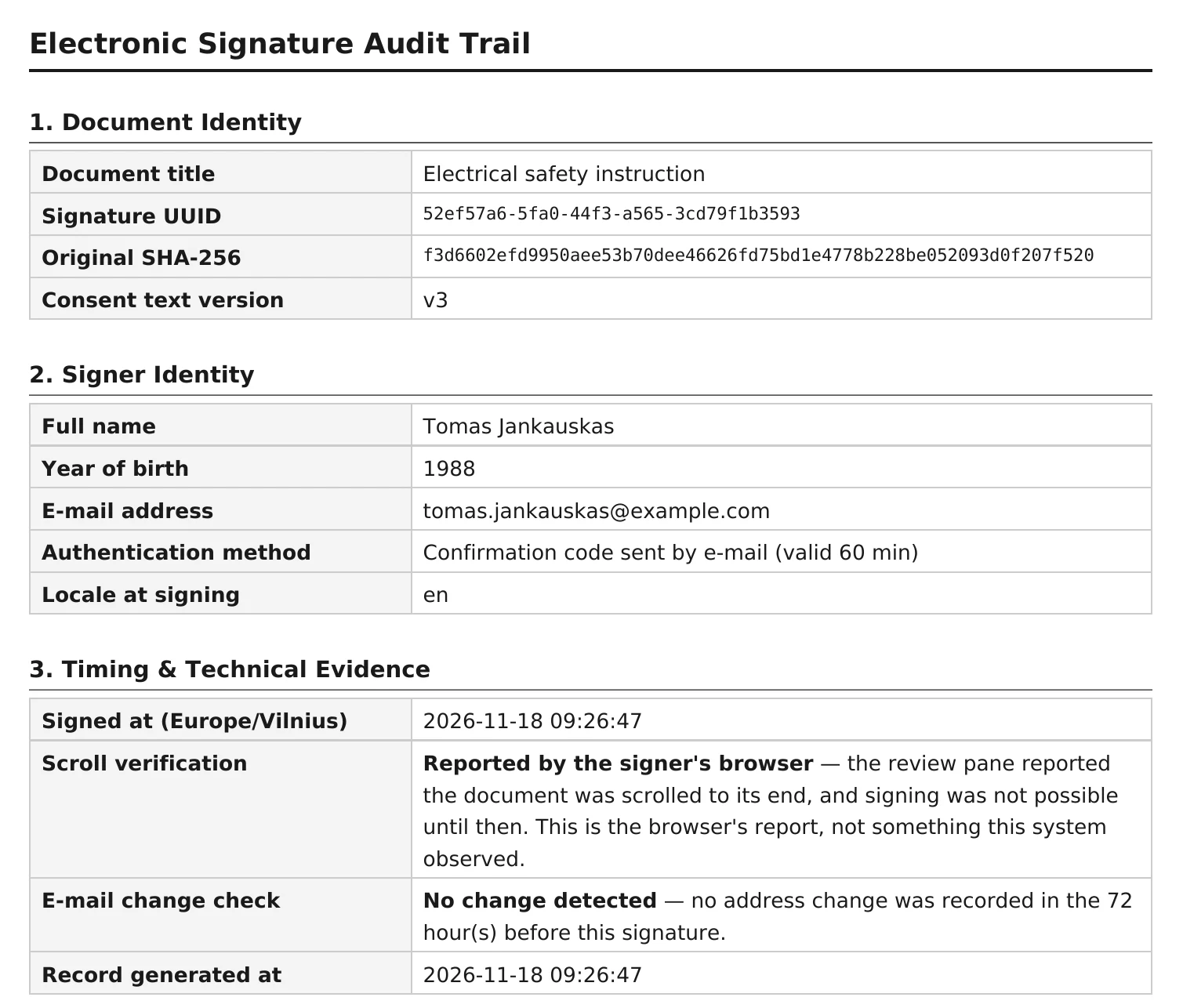
When you need evidence, it is already there: the signed PDF with its audit page and the instruction register as PDF or Excel.
Questions from managers
More answers on the FAQ page.
What will the company manager have to do?
Almost nothing. The specialist prepares and assigns the documents. HR staff can add new employees themselves or through a link with a PIN code; the specialist or HR staff only approve them. A summary e-mail reports what is unsigned or about to expire.
Do we need to install anything?
No. DocBee runs in the browser: on a computer, a tablet or a phone.
What do the specialist, HR staff and employees see?
The specialist manages all of their companies: documents, settings and the activity log. With the default permissions, the company’s HR staff see their own company’s employees, signing status and the instruction register, and add employees and PPE. An employee sees only the documents assigned to them.
Can a manager approve a document before it is sent?
Yes. Approvers can be set for a company, a category or an individual document: any one of several, a specific person, or several in sequence. An approver can be a company employee or an external person who receives a link by e-mail. Until the document is approved, employees do not receive it.
See DocBee live
We will show you how DocBee would work in your company and answer your questions.
Book a demoor write to [email protected]